

ElevenReader Brings Frankenstein to Life with a Full Cast and Original Score
Frankenstein, the first cinematic audiobook created with Eleven v4, is coming just in time for Halloween
Your first month. Just $1. Start listening for less this month.
TTS is transforming the way we consume content, allowing you to listen to articles, books, or reports while multitasking.
By ElevenReader Team
Updated

On average, we spend nearly 7 hours a day looking at our phones. That’s a lot of time spent staring at screens, reading articles, scrolling through social media, or catching up on work.
But what if you could reclaim some of that time?
With text to speech (TTS) technology, you no longer have to sit glued to your screen to absorb information. TTS is transforming the way we consume content, allowing you to listen to articles, books, or reports while multitasking. Whether you’re commuting, cooking, or working out.
It offers unmatched convenience, making learning and enjoyment more flexible and accessible. With AI-powered voices that sound natural and expressive, TTS is completely changing the reading experience — turning time that once felt wasted into an opportunity for growth and enjoyment.
Here are a few advantages of using audio readers:
Text to speech (TTS) technology has come a long way. Early versions, like DECtalk in the 1980s, sounded robotic and unnatural. They could read text aloud, but the speech was flat and lacked emotion. DECtalk was used by none other but Stephen Hawking, who continued using a version of the technology up to 2011 (apparently, because no better options existed, or at least those Hawking could identify with).
Then came AI and neural networks, and they changed everything! Systems like WaveNet (2016) and Tacotron learned from real human voices. They picked up on tone, rhythm, and even emotion, making speech sound much more natural. Instead of monotone voices, modern TTS can now express feelings and adjust its pace like a real person.
Today, AI-powered TTS is used in audiobooks, virtual assistants, and accessibility tools. It creates lifelike voices that are engaging and easy to listen to. What once felt robotic is now smooth and realistic, making TTS a powerful tool for both entertainment and everyday use.
AI has made text to speech voices sound more human than ever.
They are smooth, expressive, and engaging. AI readers don’t just read words — they speak like real people. You can hear changes in pitch, natural pauses, and even emotion. This makes a huge difference in how we experience spoken content.
A natural-sounding voice is easier to listen to for long periods. It keeps people engaged, whether they’re following an audiobook, using a virtual assistant, or listening to an article. It also helps with learning and remembering information. When speech flows naturally, the brain processes it more easily, making it simpler to understand and recall.
Better voices mean a better experience. Whether for work, learning, or entertainment, AI readers now feel less like machines and more like real narrators, making listening effortless and enjoyable.
ElevenReader is an AI reader platform that stands out thanks to its realistic and carefully-curated voices (and there are hundreds of them). It’s not a standalone tool for reading text aloud, but part of ElevenLabs’ leading AI audio platform. With it, come the advanced technical abilities that make AI voices virtually indistinguishable from human actors.
Unlike older TTS technologies that often sound robotic and monotone or apps that keep premium high-quality voices behind a paywall, ElevenReader offers lifelike voices on a free plan for everyone. These voices capture the subtle emotional cues in text, enhancing both understanding and enjoyment.
This also makes it easier for users to stay focused and connected to the content.
In addition to its advanced voice technology, ElevenReader supports a variety of file types. Users can upload PDFs, Word documents, and eBooks. The platform is available for iOS and Android users, making it easy to listen to content on the go.
Here’s a quick step-by-step guide to starting using our ElevenLabs AI reader:
Download the app
Sign in or create an account
After installing, open the app. You’ll need to sign in or create a new account. Signing up is quick and free. You can use your Google account for easy access.
Explore the interface
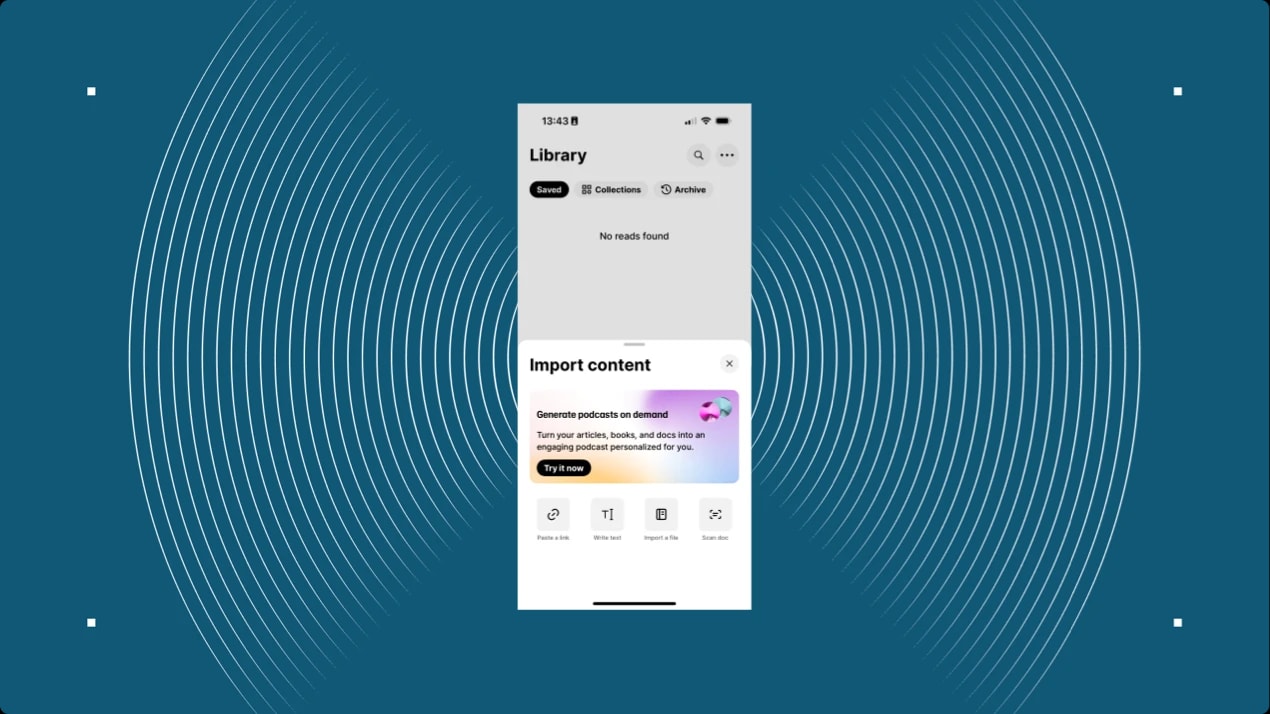
After signing in, you’ll be greeted with the welcome screen. At the bottom, you’ll see a few options and a ‘+’ button at the center. After clicking it, you’ll be able to select how you’d like to provide the content.
Add your content
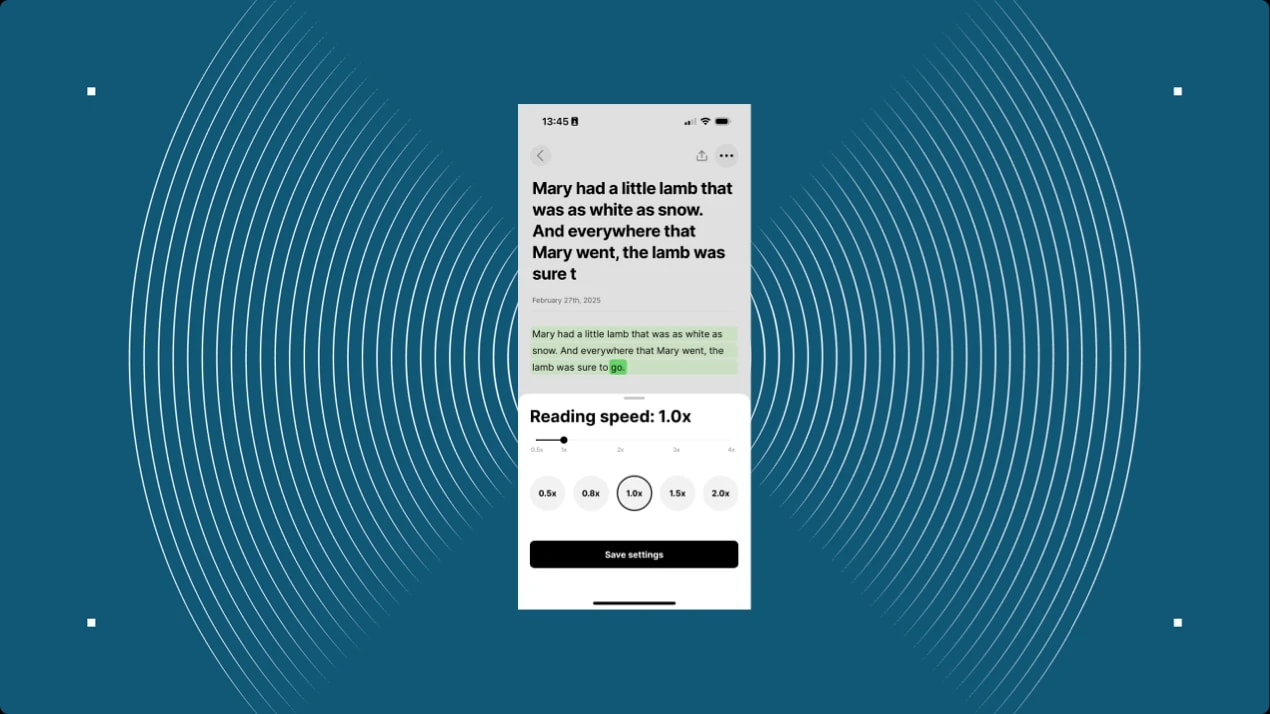
You can choose to paste a link, copy/paste text directly into the editor, import a file, or scan a document. Simply tap the ‘Listen’ button to load and play the content. You’ll hear the audio in default voice, at 1.0x speed.
Select a voice
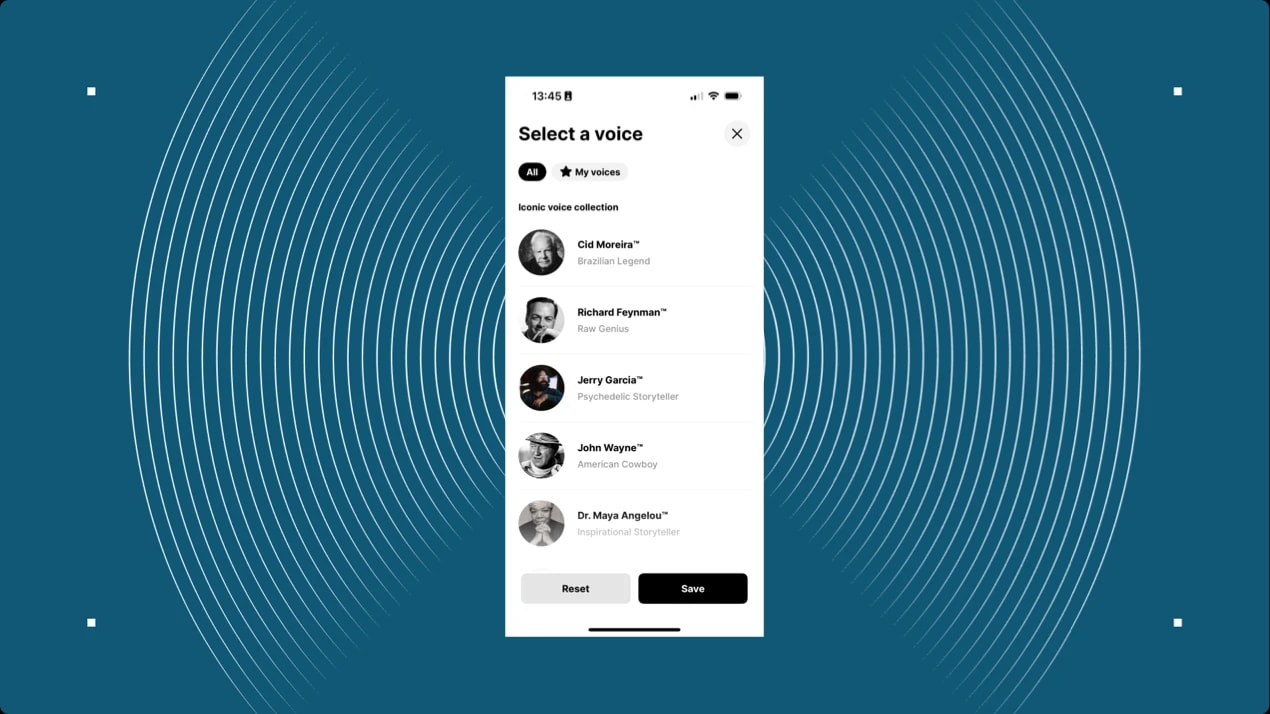
At the bottom of the screen, tap on ‘Voices’ to choose from multiple options. You can even listen to famous voices in the ‘Iconic Voices’ section. Sample various options to find the one you like best.
Curious how these voices sound? You can listen to them on the ElevenLabs site, even before downloading the app.
Adjust the playbackWhile listening, you can adjust the reading speed, skip forward or backward, and change the voice if needed using the controls at the bottom of the screen.
With these simple steps, you can enjoy listening to any content with lifelike, natural voices, all for free!
The way we consume content is changing, and the future of reading is shifting toward listening thanks to advancements in AI. With AI-powered tools like the ElevenReader, the traditional experience of reading text aloud has been completely transformed.
Gone are the days of robotic voices that made listening a chore. Today, we have access to incredibly lifelike, natural-sounding voices that make listening to articles, books, and other content not only easier but also more enjoyable.
For busy people, especially those on the go, ElevenReader offers a game-changing solution. Instead of taking time out of a hectic day to read, users can simply listen to content during commutes, workouts, or while doing other tasks. This allows for learning and productivity in any free moment, making it easier to stay informed and engaged, even with a packed schedule.
By offering high-quality AI voices and an intuitive interface, ElevenReader is leading the way in making ‘reading’ more accessible and convenient than ever. Whether for learning, staying up-to-date, or simply enjoying a good article, AI-powered listening is the future, and it’s here to stay.
Try ElevenReader for free to see how enjoyable the listening experience is and how easy it is to use.
Frankenstein, the first cinematic audiobook created with Eleven v4, is coming just in time for Halloween

How to read Google Docs aloud when the Audio option is missing, with built-in Google tools and ElevenReader.