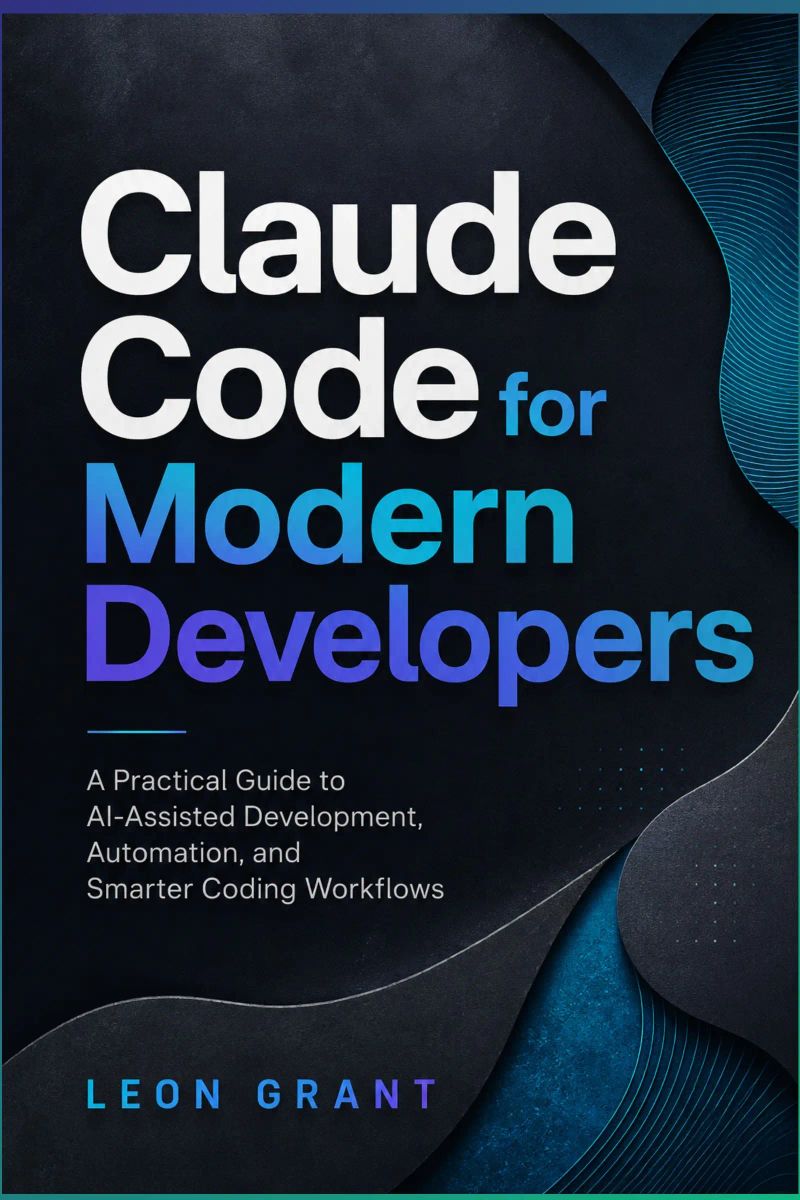
Claude Code for Modern Developers
A Practical Guide to AI-Assisted Coding, Debugging, Testing, and AutomationBy Leon GrantLength8h 20m
About this audiobook
# Book Description
Artificial intelligence is changing the way software is planned, written, tested, and maintained. Developers who understand how to work effectively with AI-assisted tools can move faster, solve problems more efficiently, and improve the quality of their projects without giving up control of the development process.
*Claude Code for Modern Developers* is a practical guide to using Claude Code throughout the modern software development lifecycle. It shows you how to move beyond basic code generation and use Claude Code as an intelligent development assistant for understanding repositories, planning features, debugging problems, writing tests, refactoring code, managing Git workflows, and automating repetitive tasks.
Inside this book, you will learn how to:
* Install and configure Claude Code
* Navigate the terminal interface confidently
* Explore and understand unfamiliar codebases
* Write clear prompts that produce reliable results
* Create effective project guidance with `CLAUDE.md`
* Plan and implement features across multiple files
* Debug errors using logs, stack traces, and regression tests
* Generate meaningful unit and integration tests
* Refactor existing code without changing its behavior
* Use Claude Code with Git, branches, commits, and pull requests
* Build reusable commands, skills, and subagent workflows
* Connect documentation, issue trackers, repositories, and databases
* Automate formatting, testing, and continuous integration
* Protect credentials, permissions, and sensitive project data
The book concludes with a complete hands-on project that brings these techniques together. You will analyze an existing application, plan and build a new feature, create automated tests, investigate defects, review security, prepare Git commits, and document the finished work.
Whether you are a junior developer, experienced programmer, freelancer, technical lead, or engineering team member, this book will help you use Claude Code productively and responsibly.
Learn how to combine the speed of agentic AI with strong engineering judgment—and build software that remains understandable, secure, tested, and ready for real-world use.
Audiobook details
GenreTechnology
Length8 hrs 20 mins
Narrated byListen with 1,000+ voices
FormateBook with Audio
LanguageEnglish
Table of contents
1Introduction
310Inspect Assertions
2Introduction
311Detect Tests That Repeat the Implementation
3Chapter 1: Getting Started with Claude Code
312Review Mocking
4Chapter 2: Navigating the Claude Code Interface
313Check Independence and Clarity
5Chapter 3: Exploring Existing Codebases
314Look Beyond Coverage Numbers
Show all chaptersShow less
6Chapter 4: Writing Better Prompts
315Request an Independent Review
7Chapter 5: Working with CLAUDE.md
316A Practical Quality Workflow
8Chapter 6: Planning and Building Features
317Chapter 9: Refactoring Existing Code
9Chapter 7: Debugging with Claude Code
318Identifying Weak Code
10Chapter 8: Testing and Code Quality
319Evaluate the Impact
11Chapter 9: Refactoring Existing Code
320Confirm the Current Responsibility
12Chapter 10: Git and Version Control
321Compare with Project Standards
13Chapter 11: Reusable Commands and Skills
322Simplifying Complex Functions
14Chapter 12: Working with Subagents
323Understand the Flow First
15Chapter 13: Connecting External Tools
324Extract Clear Responsibilities
16Chapter 14: Automation and Security
325Reduce Nested Conditions
17Introduction
326Avoid Excessive Fragmentation
18The Rise of AI-Assisted Development
327Removing Duplication
19What Claude Code Is
328Confirm That the Rules Are the Same
20How Agentic Coding Works
329Choose the Correct Shared Location
21Benefits and Limitations
330Avoid Premature Abstraction
22Faster Codebase Understanding
331Verify Every Caller
23Reduced Repetitive Work
332Improving Naming and Structure
24Improved Debugging Support
333Use Domain Language
25Better Documentation
334Distinguish Similar Concepts
26More Consistent Workflows
335Preserve Public Interfaces
27The Role of Human Review
336Improve File and Module Structure
28How to Use This Book
337Keep Related Code Together
29Chapter 1: Getting Started with Claude Code
338Updating Outdated Code
30Understanding Claude Code
339Identify What Is Outdated
31Working with Project Context
340Separate Modernization from Feature Work
32Natural-Language Development
341Upgrade Incrementally
33Claude Code Is Not an Autonomous Developer
342Review Dependency Changes
34Main Features and Capabilities
343Remove Dead Code Carefully
35Codebase Exploration
344Preserving Existing Behavior
36Multi-File Editing
345Establish a Baseline
37Command Execution
346Define Protected Contracts
38Debugging Assistance
347Refactor in Small Steps
39Test Creation and Verification
348Compare Before and After
40Git Assistance
349Run Full Verification
41Extensibility and Automation
350Review the Final Diff
42Supported Development Workflows
351A Practical Refactoring Prompt
43Exploring Existing Applications
352A Safe Refactoring Workflow
44Building New Features
353Chapter 10: Git and Version Control
45Fixing Bugs
354Reviewing Git Status and Changes
46Refactoring Code
355Reviewing Unstaged Changes
47Testing and Quality Assurance
356Reviewing Staged Changes
48Documentation
357Understanding Previous Changes
49Continuous Integration and Automation
358Avoiding Destructive Actions
50Installing Claude Code
359Working with Branches
51Native Installation on macOS, Linux, or WSL
360Creating Branches Safely
52Installation on Windows PowerShell
361Keeping Branches Focused
53Alternative Installation Methods
362Updating a Branch
54Verifying the Installation
363Protecting Stable Branches
55Authentication and Setup
364Writing Useful Commit Messages
56Re-authenticating
365Preparing a Commit
57Protecting Credentials
366Staging Deliberately
58Preparing a Practice Project
367Describing Purpose
59Starting Your First Session
368Adding a Commit Body
60Begin with Exploration
369Keeping Commits Focused
61Request a Small Change
370Creating Pull Request Descriptions
62Review the Result
371Summary
63Use Built-In Help
372Problem
64A Safe First-Session Workflow
373Implementation
65Chapter 2: Navigating the Claude Code Interface
374Verification
66Opening a Project
375Risks and Limitations
67Check the Repository Before Starting
376Connecting Requirements to Tests
68Launch Claude Code
377Reviewing Code Changes
69Confirm the Project Context
378Begin with the Requirement
70Understanding the Terminal Interface
379Review Beyond the Diff
71The Conversation Transcript
380Examine High-Risk Areas
72The Prompt Area
381Review Tests Carefully
73The Status Area
382Resolving Merge Conflicts
74Tool Activity
383Inspecting the Conflict
75Slash Commands
384Understanding Both Changes
76Useful Keyboard Controls
385Resolving the File
77Giving Instructions
386Testing the Resolution
78Begin with Investigation
387Reviewing the Combined Result
79Define the Desired Outcome
388Aborting When Necessary
80State Important Constraints
389A Controlled Git Workflow
81Request Verification
390Before Development
82Give One Main Task at a Time
391During Development
83Reviewing Proposed Actions
392Before Committing
84Review the Purpose
393Before Opening a Pull Request
85Inspect Commands Carefully
394Before Merging
86Use Plan Mode for Larger Changes
395Chapter 11: Reusable Commands and Skills
87Review the Final Diff
396Understanding Reusable Workflows
88Approving and Rejecting Changes
397When to Create a Reusable Workflow
89Approve Once
398Skills and CLAUDE.md Serve Different Purposes
90Allow Similar Actions
399Reference Skills and Action Skills
91Reject an Action
400Avoid Overly Broad Skills
92Permission Modes
401Creating Custom Commands
93Managing Sessions and Context
402Choosing the Skill Location
94Continue the Most Recent Session
403Creating a Basic Skill
95Choose a Previous Session
404Invoking the Skill
96Name Important Sessions
405Supporting Arguments
97Clear Unrelated Context
406Using Existing Command Files
98Compact a Long Session
407Keeping Skills Focused
99Inspect Context Usage
408Building Feature-Development Prompts
100Interrupt and Redirect
409Feature Planning Skill
101A Practical Interface Workflow
410Feature Implementation Skill
102Chapter 3: Exploring Existing Codebases
411Preventing Scope Expansion
103Analyzing Project Structure
412Creating Debugging Workflows
104Finding Important Files
413Using the Debugging Skill
105Project Documentation
414Separate Investigation from Fixing
106Dependency and Build Files
415Creating Testing Workflows
107Environment and Configuration Files
416Test-Planning Skill
108Test and Automation Files
417Test-Creation Skill
109Understanding Dependencies
418Quality-Check Skill
110Identifying Application Entry Points
419Avoiding Weak Generated Tests
111Tracing Features and Data Flow
420Sharing Workflows with a Team
112Start from an Observable Event
421Review Skills Through Pull Requests
113Follow Control Flow
422Document Available Skills
114Follow Data Flow
423Separate Personal and Shared Skills
115Investigate Alternate Paths
424Control Sensitive Workflows
116Verify the Explanation
425Version and Maintain Skills
117Creating a Project Overview
426Test Skills Before Team Adoption
118Project Purpose
427A Practical Skill-Development Process
119Technology Stack
428Chapter 12: Working with Subagents
120Repository Structure
429Understanding Subagents
121Application Architecture
430Main Session and Subagent Roles
122Entry Points
431Built-In and Custom Subagents
123Important Workflows
432Separate Context Windows
124Development Commands
433Tool and Permission Control
125Configuration
434Delegating Focused Tasks
126Testing Strategy
435Define One Primary Responsibility
127Known Uncertainties
436Supply Necessary Context
128A Structured Exploration Workflow
437Define the Output
129Chapter 4: Writing Better Prompts
438Restrict Scope Expansion
130Defining Clear Development Tasks
439Creating Testing and Review Agents
131State the Problem Before Requesting a Solution
440Creating a Test-Runner Agent
132Use Direct Language
441Creating a Code-Review Agent
133Separate Investigation from Implementation
442Creating a Test-Quality Agent
134Providing Useful Context
443Selecting Models and Tools
135Explain Why the Change Is Needed
444Running Independent Investigations
136Point to Relevant Areas
445Investigating Competing Hypotheses
137Describe the Existing Pattern
446Parallel Versus Sequential Work
138Avoid Irrelevant Context
447Foreground and Background Agents
139Adding Technical Constraints
448Isolating File Changes
140Control the Scope
449Combining Agent Findings
141Control Dependencies
450Normalize the Reports
142Preserve Interfaces and Behavior
451Separate Facts from Recommendations
143Add Security Boundaries
452Resolve Conflicting Findings
144Writing Acceptance Criteria
453Prioritize Findings
145Make Criteria Observable
454Create a Consolidated Report
146Include Success and Failure Conditions
455Reviewing Delegated Work
147Avoid Over-Specifying the Implementation
456Verify Evidence
148Breaking Large Tasks into Steps
457Reproduce Important Findings
149Stage 1: Explore
458Review Changes Made by Agents
150Stage 2: Plan
459Run Independent Verification
151Stage 3: Build the Foundation
460Check for Missing Areas
152Stage 4: Add Integrations
461Keep Human Approval Points
153Stage 5: Test
462A Practical Multi-Agent Workflow
154Stage 6: Review
463Stage 1: Main Session Planning
155Use Checkpoints
464Stage 2: Implementation
156Keep One Main Objective Per Prompt
465Stage 3: Test Execution
157Asking Claude Code to Verify Its Work
466Stage 4: Independent Reviews
158Request Specific Checks
467Stage 5: Consolidation
159Require Honest Reporting
468Stage 6: Corrections
160Compare the Result with Acceptance Criteria
469Stage 7: Final Verification
161Review the Final Diff
470Guidelines for Effective Subagent Use
162A Practical Prompt Structure
471Chapter 13: Connecting External Tools
163Chapter 5: Working with CLAUDE.md
472Understanding the Model Context Protocol
164Understanding Project Instructions
473What an MCP Server Can Provide
165CLAUDE.md as Persistent Context
474Resources
166Guidance Is Not Enforcement
475Tools
167Choosing the Correct Scope
476Prompts
168Creating a CLAUDE.md File
477When MCP Is Useful
169Begin with the Essentials
478MCP Does Not Remove Access Controls
170Use Clear Markdown Structure
479Adding and Managing MCP Servers
171Be Specific
480Reviewing Configured Servers
172Defining Coding Standards
481Choosing a Configuration Scope
173Language and Style Rules
482Local Scope
174Architectural Rules
483Project Scope
175Naming Conventions
484User Scope
176Restrictions
485Review Shared Configurations
177Recording Important Commands
486Connecting Documentation Tools
178Explain Command Requirements
487Using External Technical Documentation
179Distinguish Targeted and Complete Checks
488Connecting Internal Documentation
180Avoid Unverified Commands
489Avoid Loading Unnecessary Documentation
181Adding Testing Requirements
490Verify Document Freshness
182Define Test Locations
491Working with Issue Trackers
183State Coverage Expectations Carefully
492Converting Issues into Development Tasks
184Require Honest Results
493Creating and Updating Issues
185Maintaining Accurate Project Guidance
494Reviewing Issue Actions
186Review the File Regularly
495Connecting Repositories and Databases
187Remove Outdated Instructions
496Repository Integrations
188Resolve Conflicts
497Database Integrations
189Keep the File Concise
498Begin with Schema Access
190Update Guidance from Repeated Corrections
499Use Safe Sample Data
191A Practical CLAUDE.md Template
500Require Approval for Writes
192A Reliable Maintenance Workflow
501Managing Authentication
193Chapter 6: Planning and Building Features
502OAuth Authentication
194Converting Ideas into Development Tasks
503Token-Based Authentication
195Clarify the User Need
504Use Least-Privilege Credentials
196Define the Feature Boundary
505Rotate and Revoke Credentials
197Include Acceptance Criteria
506Separate Environments
198Identify Known Constraints
507Using External Tools Safely
199Create a Development Brief
508Connect Only Trusted Servers
200Reviewing Existing Project Patterns
509Understand Prompt Injection
201Locate Similar Features
510Prefer Read-Only Access
202Examine the Complete Pattern
511Review Tool Calls
203Identify Reusable Components
512Limit Shared Data
204Distinguish Standards from Legacy Code
513Protect Production Systems
205Record Important Findings
514Monitor and Remove Unused Connections
206Creating Implementation Plans
515A Safe External-Tool Workflow
207What a Good Plan Should Contain
516Stage 1: Define the Need
208Feature Behavior
517Stage 2: Review the Server
209Affected Components
518Stage 3: Choose the Scope
210File-Level Changes
519Stage 4: Authenticate Safely
211Data Model
520Stage 5: Test with Read-Only Tasks
212Validation and Security
521Stage 6: Review Every Write Action
213Testing
522Stage 7: Audit and Maintain
214Review the Plan Before Approval
523Chapter 14: Automation and Security
215Divide the Plan into Stages
524Using Hooks
216Editing Multiple Files
525Why Hooks Are Useful
217Implement One Layer at a Time
526Hook Configuration
218Preserve Consistency Across Files
527Understanding Hook Events
219Avoid Unrelated Changes
528Using Matchers
220Review Changes Between Stages
529Writing Safe Hook Commands
221Handle Unexpected Requirements
530Hooks Are Not Complete Security Boundaries
222Managing Dependencies
531Automating Formatting and Testing
223Prefer Existing Capabilities
532Formatting Edited Files
224Review the Purpose of a Proposed Package
533Running Lightweight Checks After Edits
225Check Compatibility
534Running Targeted Tests
226Avoid Uncontrolled Updates
535Running a Completion Check
227Separate Dependency Upgrades from Feature Work
536Avoiding Automatic “Fix Everything” Commands
228Reviewing Completed Changes
537Running Claude Code in Scripts
229Review the Changed Files
538Processing Piped Input
230Compare with the Plan
539Using Structured Output
231Check Acceptance Criteria
540Limiting Automated Runs
232Run Targeted Checks
541Restricting Tools
233Perform Manual Verification
542Preventing Session Persistence
234Review Security and Failure Behavior
543A Safe Review Script
235Keep the Final Change Focused
544Supporting Continuous Integration
236A Controlled Feature-Development Workflow
545Claude Code in GitHub Actions
237Step 1: Define the Task
546Use Minimum Workflow Permissions
238Step 2: Explore the Repository
547Use Protected Secrets
239Step 3: Create a Plan
548Treat Pull Request Content as Untrusted
240Step 4: Review the Plan
549Add Time and Cost Controls
241Step 5: Implement Incrementally
550Require Human Review Before Merging
242Step 6: Control Dependencies
551Protecting Credentials
243Step 7: Review the Complete Implementation
552Keep Secrets Out of Source Control
244Step 8: Verify the Feature
553Prevent Access to Sensitive Files
245Chapter 7: Debugging with Claude Code
554Avoid Secrets in Prompts and Logs
246Reproducing Software Problems
555Use Scoped and Temporary Credentials
247Ask Claude Code to Reproduce Before Fixing
556Rotate Exposed Credentials
248Control the Environment
557Managing Permissions and Sensitive Data
249Reduce the Problem
558Permission Rules
250Confirm the Expected Behavior
559Permission Scopes
251Providing Error Messages and Logs
560Default and Elevated Modes
252Provide Complete Error Details
561Sandbox Development Work
253Protect Sensitive Information
562Classify Sensitive Data
254Use Log Files Available in the Project
563Minimize Data Exposure
255Distinguish Errors from Symptoms
564Review External Tool Access
256Compare Successful and Failed Executions
565A Safe Automation Workflow
257Reading Stack Traces
566Stage 1: Identify the Repeated Task
258Separate Application Frames from Framework Frames
567Stage 2: Create and Test the Script
259Follow the Call Chain
568Stage 3: Add Narrow Permissions
260Consider Asynchronous Boundaries
569Stage 4: Add the Hook or Scripted Invocation
261Examine Wrapped Errors
570Stage 5: Test in an Isolated Repository
262Verify Line Numbers Against the Current Code
571Stage 6: Add CI Carefully
263Investigating Possible Causes
572Stage 7: Monitor and Maintain
264Ask for Ranked Hypotheses
573Chapter 15: Final Project
265Trace Data and State
574Build and Improve a Modern Application
266Check Recent Changes
575Project Objectives
267Examine Boundaries
576The Feature Requirement
268Avoid Changing Several Variables at Once
577Acceptance Criteria
269Applying Targeted Fixes
578Project Constraints
270Fix the Cause, Not Only the Crash
579Analyze the Project Structure: Create a Project Map
271Preserve Existing Contracts
580Create Project Instructions
272Avoid Unrelated Refactoring
581Plan the New Feature
273Review Security Implications
582Review Existing Patterns
274Inspect the Diff
583Review the Implementation Plan
275Creating Regression Tests
584Implement the Feature
276Test Observable Behavior
585Stage 1: Data Model and Migration
277Give the Test a Descriptive Name
586Stage 2: Backend Validation and Logic
278Include Related Cases
587Stage 3: Frontend Support
279Confirm the Test Fails for the Correct Reason
588Review Each Stage
280Run Broader Verification
589Write and Run Tests
281Do Not Weaken Tests
590Unit Tests
282A Practical Debugging Prompt
591Integration Tests
283A Reliable Debugging Workflow
592Frontend Tests
284Chapter 8: Testing and Code Quality
593Run Targeted Tests
285Generating Unit Tests
594Debug Development Problems
286Test Behavior, Not Internal Steps
595Review Security and Code Quality
287Keep Each Test Focused
596Authorization Review
288Use Mocks Carefully
597Input-Validation Review
289Run New Tests Immediately
598Database Review
290Writing Integration Tests
599Code-Quality Review
291Test Complete Workflows
600Create Reusable Automation
292Control Test Data
601Prepare Git Commits and a Pull Request
293Avoid Production Services
602Create Focused Commits
294Testing Edge Cases
603Prepare the Pull Request
295Test Boundaries
604Document the Completed Project: Create a Completion Report
296Test Failure Paths
605Final Project Checklist
297Test Permissions
606Repository Understanding
298Avoid Meaningless Edge Cases
607Project Instructions
299Running Project Test Suites
608Planning
300Understand Test Failures
609Implementation
301Check for Flaky Tests
610Testing and Debugging
302Report Verification Honestly
611Quality and Security
303Using Formatting and Linting Tools
612Automation
304Format Only Relevant Files
613Git and Documentation
305Investigate Lint Errors
614Completing the Claude Code Workflow
306Run Type Checking and Builds
615About the Author
307Keep Tool Configuration Stable
616About the Book
308Reviewing Test Quality
617Acknowledgments
309Check Whether the Test Can Fail