

Web Development from Beginner to Paid Professional
Build your portfolio as you learn Html5, CSS and Javascript step by step with supportDe Ojula Technology Innovations


Duração2h 53m
Sobre este audiolivro
I know there are more than sufficient resources online to teach absolute beginners everything they need to learn web development from scratch. But this book is different because it addresses a few web development problems. The credibility of a web developer is much more than their credentials. It’s actually about the strength of their portfolio.Employment opportunities often come from work samples and concrete skills, rather than a college degree. So, you need to learn well enough. This book will not only help you learn well and build a stunning portfolio, it will also provide you continuous help and support.With this book and my dedicated 24/7 help and support team, there’s nothing for you to fear. I have helped many web developers update their development skills, launch successful careers and get hired for remote jobs. I notice that even the most ambitious beginners can run into problems, such as unable to decide where to begin. Sometimes they get completely lost on the way and therefore need further help.The truth is everyone needs help at one point or the other to learn html5, CSS or Javascript correctly in their web development journey. I put sufficient coding challenges and their solutions in this book. You will get regularly updated cheat sheets, coding exercises, a stunning web developer portfolio to show off your work samples, practice projects, and graphics/screenshots used in this book. You will also get further help if you use the free support link at the bottom of this book. I will help you learn well.Finally, if you buy this book, I will add you to my web development community so you can continue to learn and get more help until you become a well-paid professional.
Detalhes do audiolivro
GêneroTechnology, Science and Nature
Duração2 h 53 min
Narrado porOuça com mais de 1.000 vozes
FormatoeBook com áudio
Data de publicação11 de set. de 2022
IdiomaInglês
Sumário
1How to Learn HTML5, CSS & Javascript Well
20. Getting Started with Free Coding Tools
31. Basic HTML5 & Useful Resources
41.1. Say Hello to HTML Elements
51.2. Headline with the H2 Element
Mostrar todos os capítulosVer menos
61.3. Inform with the Paragraph Element
71.4. Fill in the Blank with Placeholder Text
81.5. Comment/Uncomment HTML
91.6. Comment out HTML
101.7. Deleting HTML Elements
111.8. Introduction to HTML5 Elements
121.9. Add Images to Your Website
131.10. Link to External Pages with Anchor Elements
141.11. Link to Internal Sections of a Page with Anchor Elements
151.12. Nest an Anchor Element within a Paragraph
161.13. Make Dead Links Using the Hash Symbol
171.14. Turn an Image into a Link
181.15. Create a Bulleted Unordered List
191.16. Create an Ordered List
201.17. Create a Text Field
211.18. Add Placeholder Text to a Text Field
221.19. Forms: Creating a Form Element
231.20. Add a Submit Button to a Form
241.21. Use HTML5 to Require a Field
251.22. Create a Set of Radio Buttons
261.23. Create a Set of Checkboxes
271.24. Drop-down Menu, Slider, Text Area, Form Validation & File Upload Button
281.25. Nest Elements with Div & Span
291.26. Declare the Doctype of an HTML Document
301.27. Define the Head and Body of an HTML Document
311.28. Change the Color of Text
321.29. Introduction to the Chrome Inspector
331.30. HTML Tables
341.30.1. How to Make a Basic Table
351.30.2. How to Add a Table Heading
361.30.3. How to Add a Table Caption
371.30.4. How to Use the Scope Attribute
381.30.5. How to Use Cell Spanning
391.30.6. How to Add Table Header, Body and Footer
402. Basic CSS (Cascaded Style Sheet)
412.1. Use CSS Selectors to Style Elements
422.2. Use a CSS Class to Style an Element
432.3. Style Multiple Elements with a CSS Class
442.4. Universal Selector *{ }
452.5. Change the Font Size of an Element
462.6. Set the Font Family of an Element
472.7. Import a Google Font
482.8. Specify How Fonts Should Degrade
492.9. How to Size Your Images
502.10. Add Borders Around Your Elements
Séries


Collected Writings of Nikola TeslaThomas Commerford Martin, Nikola Tesla19h 42min4.4 (2.8K)$1.99 · $0.00

Operation PedestalMax Hastings12h 29min4.4 (5.2K)$29 · $0.00

When the Heavens Went on SaleAshlee Vance18h 20min4.4 (3K)$40 · $0.00
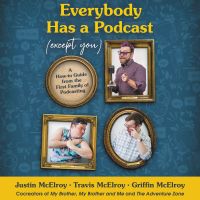
Everybody Has a Podcast (Except You)Justin McElroy, Travis McElroy, Griffin McElroy5h 9min4.3 (2.3K)$24 · $0.00

Hands of TimeRebecca Struthers8h 8min4.4 (1.3K)$26 · $0.00
Never Lost AgainBill Kilday10h 1min4.4 (805)$29 · $0.00
How the Internet HappenedBrian McCullough13h 28min4.3 (2.7K)$23 · $0.00

Collected Writings of Nikola TeslaNikola Tesla, Thomas Commerford Martin21h 50min4.3 (1.7K)$1 · $0.00

Just AspireAjai Chowdhry9h 13min4.4 (260)$29 · $0.00

The Little Book of AliensAdam Frank8h 20min4.3 (1.3K)$26 · $0.00

The inventions, researches and writings of Nikola Tesla (Annotated)Thomas Commerford Martin16h 59min4.3 (1.3K)$2 · $0.00

KargilV.P. Malik15h 18min4.3 (2K)$24 · $0.00

Experiments with Alternating CurrentsNikola Tesla9h 16min4.3 (874)$1.99 · $0.00

Fire on the HorizonTom Shroder, John Konrad8h 23min4.3 (858)$26 · $0.00

The Smell of Kerosene (Annotated)National Aeronautics and Space Administration, Donald L. Mallick, Peter W. Merlin11h 32min4.3 (523)$2 · $0.00

The Boy Who Harnessed the WindWilliam Kamkwamba, Bryan Mealer10h 5min4.2 (78.9K)$29 · $0.00

Across the Airless WildsEarl Swift10h 8min4.3 (1.3K)$29 · $0.00

Console WarsBlake J. Harris20h 41min4.2 (13.7K)$46 · $0.00

Improvised Munitions HandbookU.S. Department of Defense4h 49min4.3 (1.6K)$1.99 · $0.00

Escaping GravityLori Garver10h 54min4.2 (2.2K)$20 · $0.00

A Brief History of IntelligenceMax S. Bennett12h 18min4.6 (6.6K)$29 · $0.00
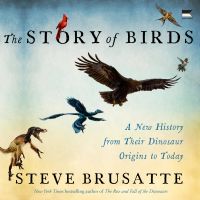
The Story of BirdsSteve Brusatte11h 49min4.6 (401)$29 · $0.00

LiftoffEric Berger9h 4min4.6 (9.5K)$29 · $0.00

Black Earth WisdomLeah Penniman11h 54min4.6 (577)$8 · $0.00

Total Cat MojoJackson Galaxy10h 13min4.5 (8.4K)$23 · $0.00

My Life Among the UnderdogsTia Torres5h 51min4.5 (4K)$24 · $0.00

What It Takes to Save a LifeKwane Stewart6h4.6 (556)$24 · $0.00

Pastoral SongJames Rebanks8h 35min4.5 (12K)$26 · $0.00
How Stella Learned to TalkChristina Hunger7h4.5 (10.9K)$24 · $0.00

Craig & FredCraig Grossi8h 6min4.5 (9.6K)$26 · $0.00

Celebrating BirdsNatalia Rojas, Ana Maria Martinez6h 47min4.6 (330)$24 · $0.00

Saving JemimaJulie Zickefoose4h 59min4.5 (749)$20 · $0.00

Will's Red CoatTom Ryan8h 23min4.5 (2.3K)$26 · $0.00

Of Time and TurtlesSy Montgomery10h 34min4.5 (5K)$29 · $0.00

THE WOLF TRILOGY: Call of the Wild, White Fang & The Son of the WolfJack London17h 31min4.5 (2.4K)$1.99 · $0.00

Zen and the Art of Saving the PlanetThich Nhat Hanh9h 20min4.5 (3.9K)$29 · $0.00

BLACK BEAUTY (With Original Illustrations)Anna Sewell7h 31min4.5 (1.3K)$1.99 · $0.00

Bottle of LiesKatherine Eban14h 25min4.4 (12K)$33 · $0.00
IngrainedCallum Robinson8h 10min4.5 (1.1K)$26 · $0.00

The Lion Tracker's Guide To LifeBoyd Varty3h 1min4.4 (4.8K)$18 · $0.00
Você também pode gostar

Montaigne in Barn BootsMichael Perry5h 12min4.1 (1.4K)$20

Aristotle for EverybodyMortimer J. Adler5h 30min4.0 (3.5K)$16
A Poetry HandbookMary Oliver3h 33min4.3 (11.9K)$18 · $0.00

Lifestyle Brands Standard RequirementsGerardus Blokdyk4h 7min$71

App Data A Complete Guide - 2020 EditionGerardus Blokdyk4h 23min$71

A Fork on the Road, Vol. 2Mark DeCarlo, Yeni Álvarez7h 22min$20

Agile Ops The Ultimate Step-By-Step GuideGerardus Blokdyk4h 5min$71

The Benefits of Complete NutritionAnthony Ekanem31min$4 · $0.00

Sales Diversity A Complete Guide - 2020 EditionGerardus Blokdyk4h 30min$71
Book Repair and Restoration (Annotated)Mitchell S. Buck1h 36min4.3 (15)$1.99 · $0.00
Twelve SkillsEd Barrows, Laura M. Downing6h 28min$27 · $0.00

Customer profitability A Complete Guide - 2019 EditionGerardus Blokdyk4h 48min$71

Channel Effectiveness A Complete Guide - 2019 EditionGerardus Blokdyk4h 28min$71

Technology Review A Complete Guide - 2020 EditionGerardus Blokdyk4h 34min$78

Social Network Payment System Standard RequirementsGerardus Blokdyk4h 20min$71

Telecom Expense Management A Complete Guide - 2021 EditionGerardus Blokdyk4h 46min$78

The Ultimate Math Library: 23 Must-Have BooksD'Arcy Wentworth Thompson, Henry Ernest Dudeney, Bertrand Russell, Henry Pemberton, Robert T. Browne, Edwin Abbott Abbott, Greg Fee, David Slowinski, Charles Howard Hinton, John Scott, Pierre Simon marquis de Laplace, Henry Stevens, Bernhard Marks, James Clerk Maxwell, W. Stanley, Lewis Carroll, Jerry T. Bonnell, Robert J. Nemiroff, Florian Cajori, René Descartes156h4.1 (11)$1.99 · $0.00

Organizational Maturity Third EditionGerardus Blokdyk4h 14min$71

Rapid Japanese, Vols. 1 & 2Earworms Learning2h 19min$20
Walk, Don't RunBill Brown Jr.36min4.4 (11)$4